Scaling Landing Page Creation with a WYSIWYG Editor
Building a page builder tool internally, enabled marketing to efficiently create and manage landing pages at scale.

- Name
- Kevin Østerkilde
- @kosai106
4 min. read
Introduction
Previously, I talked about one of the larger projects I worked on during my time at Algolia and today will be more of the same. The second project I worked on while I was attached to the website team, was an internal page builder tool for our marketing department to use to create new landing pages.
Wishlist
- Should be fast/efficient to create new pages
- Should be able to support many different kinds of pages
- Should not break our previously established design patterns and consistency
- Should be able to rollback changes if need be
Features
Editor workspace
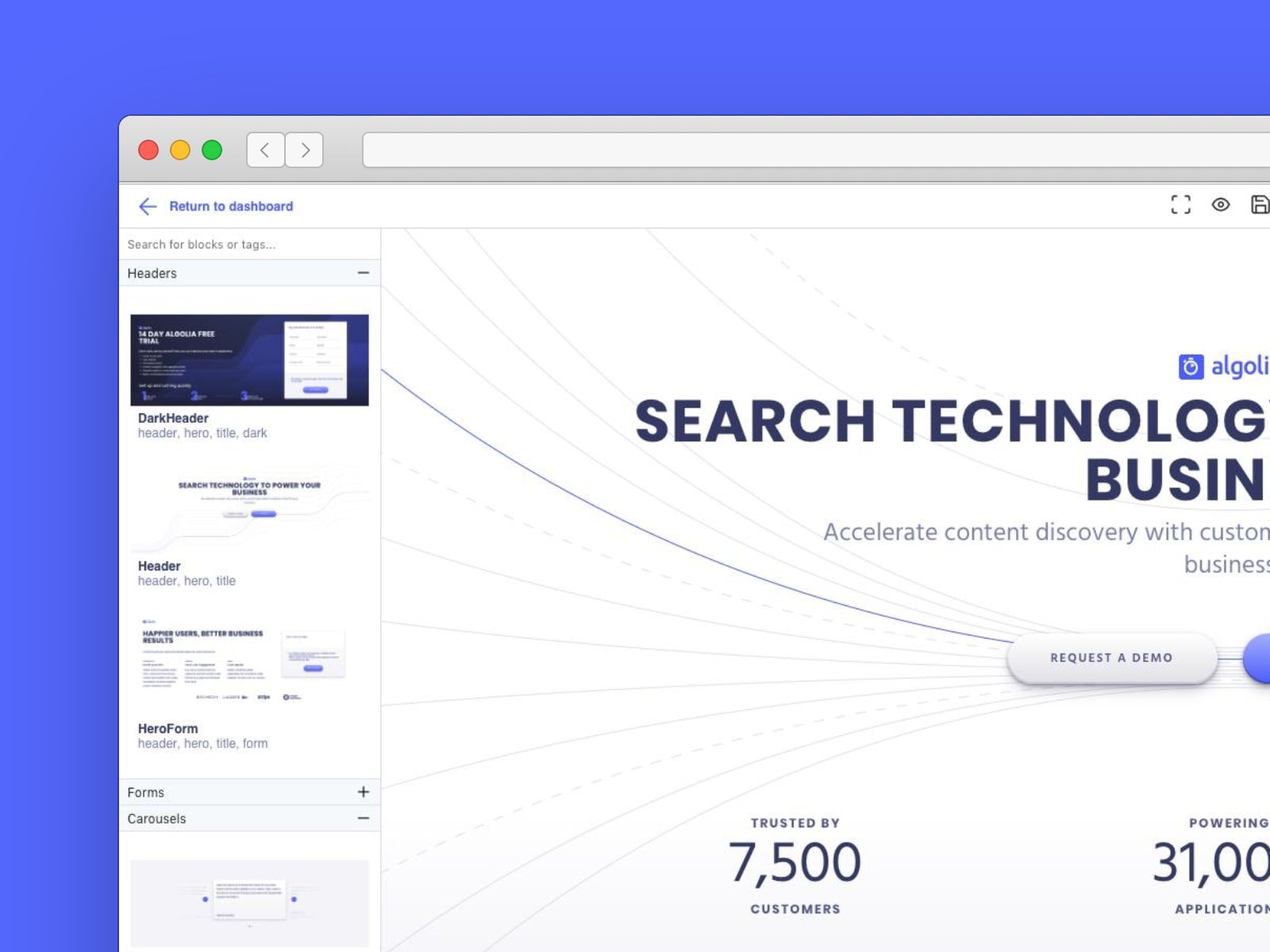
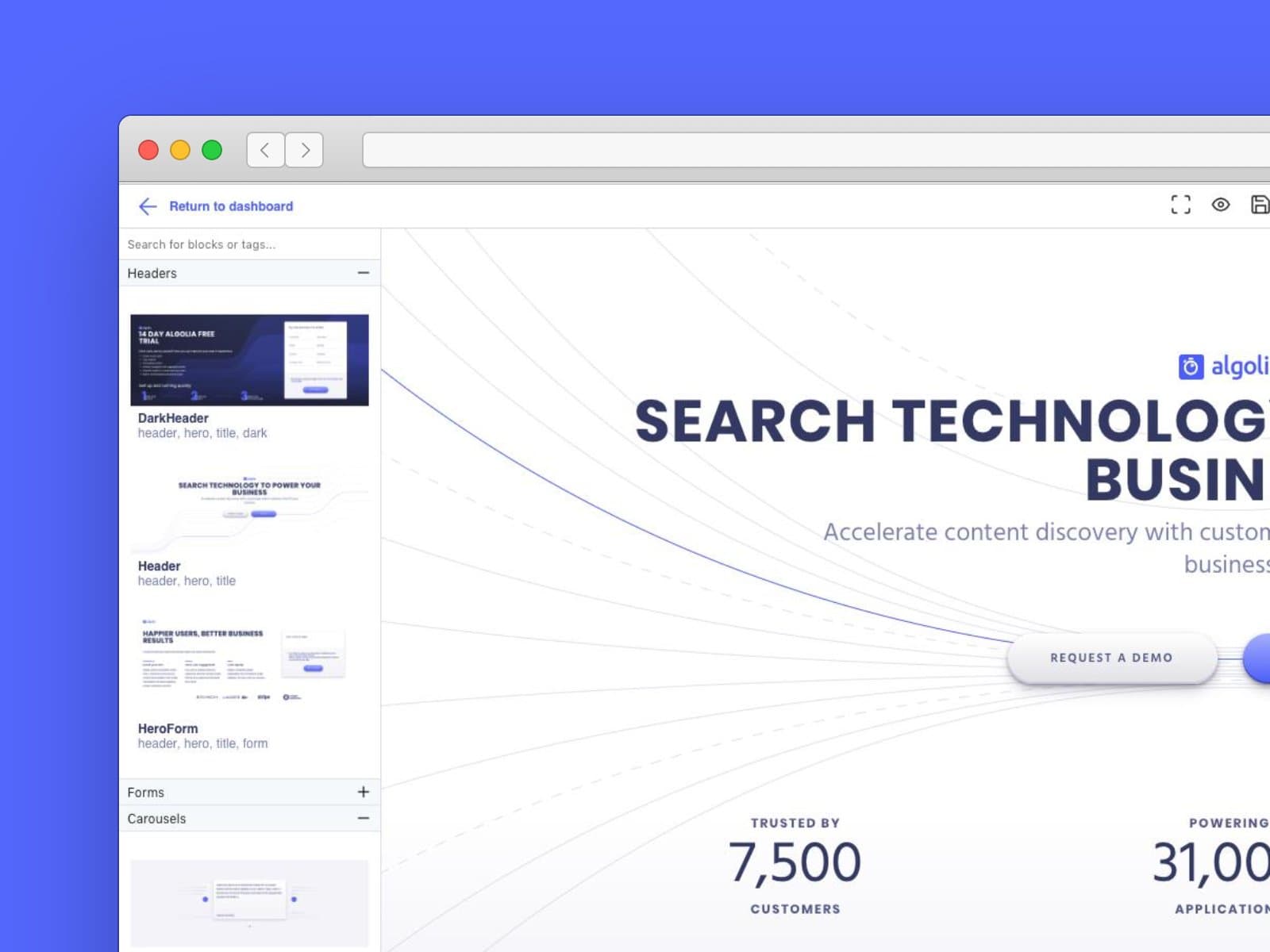
- Block-based editor
- To make it as simple as possible to create new pages, we wanted to create predefined templates but realised it would be near impossible to keep up with the marketing departments demands, so instead opted for having different blocks with a lot of settings for customizability instead. This way, it would just be a matter of throwing together a Header block, some sub-sections and eventually a footer. Easy-peasy.
- While the blocks make use of the design language already established for our marketing website, this UI wouldn't work for the editor itself as the viewport would be too small considering the large elements the editor UI would consist of otherwise. Instead I opted for writing a small UI library with much smaller controls in order to allow the viewport to take up the largest part of the workspace.
Dashboard overview
- Dashboard and editor locked safely behind a login.
- Would have wanted to make use of Okta for this, but didn't happen in time so instead we allowed all
*@algolia.comemails but then had a page on the dashboard where we could see users and delete ones we didn't want to have access. Not a great solution but it's what we had time for.
- Would have wanted to make use of Okta for this, but didn't happen in time so instead we allowed all
- To make the dashboard a bit more visually interesting for users, I added some basic stats to the overview. It was mostly just tracking the number of pages had been created with a plan for showing more useful metrics in the future but we never got to this point.
- The stats would show counts for the number of
pages,assetsandusers.
- The stats would show counts for the number of
- TODO.
Problem: Our marketing team was struggling to create landing pages quickly and efficiently, often requiring the help of an engineer to make updates or changes. This added a bottleneck to our process and made it difficult to iterate and test new ideas.
Approach: We decided to build a WYSIWYG (What You See Is What You Get) editor that would allow our marketing team to easily create and edit landing pages themselves, without the need for engineering support. Our editor included a drag-and-drop interface, pre-designed templates, and easy-to-use customization options.
Results: With our WYSIWYG editor, our marketing team was able to create and publish landing pages much more quickly and efficiently. This allowed us to run more experiments and test new ideas, leading to a 20% increase in conversion rates on our landing pages. Additionally, our marketing team was able to make changes and updates to existing landing pages in real-time, without the need for engineering support.
Key Takeaways: By building a WYSIWYG editor, we were able to streamline our landing page creation process and empower our marketing team to make changes and updates themselves. This allowed us to run more experiments and test new ideas, resulting in a significant increase in conversion rates. Overall, our WYSIWYG editor proved to be a valuable tool for improving the efficiency and effectiveness of our marketing efforts.